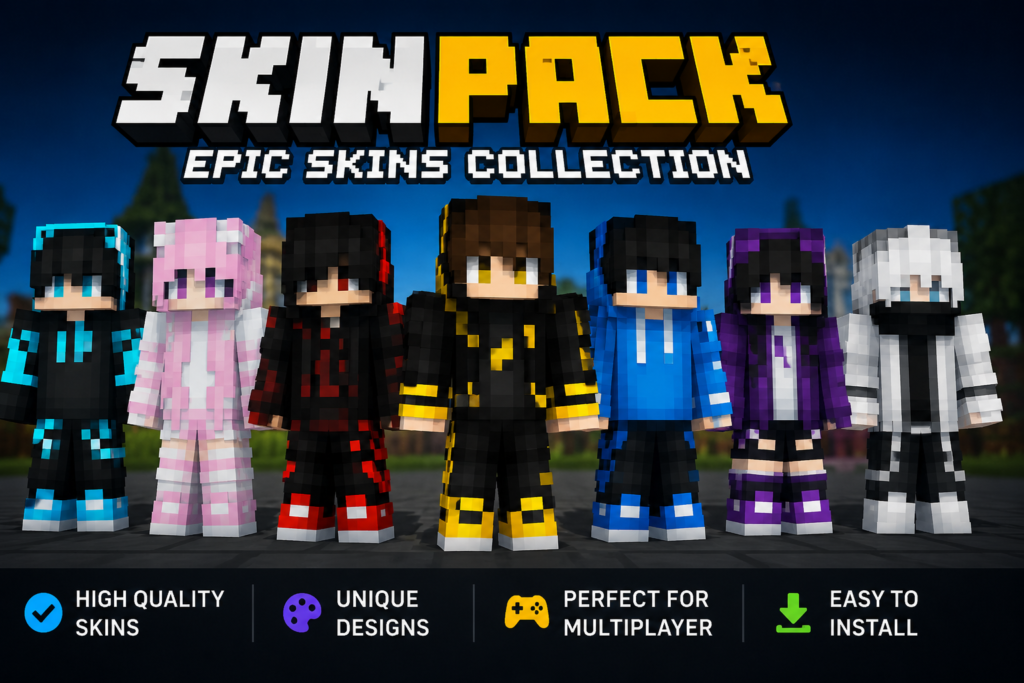

I still remember the first time I heard the word “skinpack.” I was browsing through gaming communities looking for ways to make a familiar game feel a little more personal. I kept seeing people mention skinpacks, but at first, I wasn’t completely sure what they meant.
After looking into it, I realized that a skinpack can be a simple way to change the appearance of characters, objects, vehicles, weapons, or other elements in a game without changing the entire game itself.
Today, skinpacks are popular among gamers who enjoy customization. Instead of playing with the default appearance, you can sometimes install a collection of visual designs and give the game a completely different look.
What Is a Skinpack?
A skinpack is generally a collection of visual skins or cosmetic designs bundled together for use in a game, application, or digital environment.
Depending on the game, a skinpack might include:
- Character skins
- Vehicle designs
- Weapon appearances
- Clothing and outfits
- Textures
- Creature or mob designs
- UI elements
- Custom themes
The important thing to understand is that skins are usually focused on appearance rather than changing the core gameplay.
For example, imagine you’re playing the same game you’ve enjoyed for months. The gameplay is still fun, but the default characters have started to feel repetitive. A skinpack could give those characters fresh outfits or completely different visual styles.
That’s one reason game skin packs have become such a popular form of customization.
Why Do Gamers Use Skinpacks?
For me, the biggest appeal of a skinpack is variety.
Even when a game is excellent, seeing the same characters and environments repeatedly can eventually become boring. Custom skins provide a small change that can make familiar gameplay feel new again.
1. Personalization
People naturally like making things their own.
A skinpack allows players to choose designs that match their personality or preferred style. Someone might prefer realistic graphics, while another player may enjoy cartoon-inspired or colorful designs.
2. A Fresh Gaming Experience
Sometimes you don’t need a new game. You simply need a different visual experience.
A good custom skin pack can make familiar maps and characters feel noticeably different.
3. Community Creativity
Another thing I enjoy about skinpacks is seeing what other players create.
Gaming communities often contain talented designers who spend hours creating unique textures, outfits, and character appearances.
That creativity can turn a simple customization feature into an entire community.
How Does a Skinpack Work?
The exact process depends on the game and platform.
Some games have official skinpacks available directly through their built-in stores. Others allow players to install community-created modifications or texture collections.
A typical process might look something like this:
- Find a compatible skinpack.
- Check which version of the game it supports.
- Download the appropriate file from a trustworthy source.
- Follow the game’s installation instructions.
- Activate or import the skinpack.
- Start the game and check the new visuals.
The process can be extremely simple in some games and more complicated in others.
My personal tip is to always check compatibility before installing anything. A skinpack designed for an older game version may not work correctly with a newer update.
Skinpack vs. Individual Skins
You might wonder why someone would download a complete skinpack instead of choosing individual skins.
The answer is convenience.
An individual skin gives you one design. A skinpack can contain multiple designs that follow a particular theme.
For example, a fantasy-themed skinpack might include:
- Several character outfits
- Matching weapons
- Special textures
- Decorative items
- Related environmental designs
Instead of searching for every item separately, everything can be grouped together.
That’s especially useful if you want your entire game to have a consistent visual style.
Different Types of Skinpacks
Not every skinpack serves the same purpose. The type you’ll find depends heavily on the game.
Character Skinpacks
These are among the most recognizable. They change the appearance of playable characters or NPCs.
Character packs can range from simple clothing changes to completely redesigned appearances.
Minecraft Skinpacks
Minecraft skin packs are particularly popular because the game’s block-based visual style makes customization easy to recognize.
Players can use different character appearances to express their personalities or create themed collections.
Vehicle Skinpacks
In racing and open-world games, a skinpack may focus on vehicles.
A basic car can be given a racing-inspired design, a classic appearance, or a completely fictional color scheme.
Weapon Skinpacks
First-person and action games frequently use weapon skins.
These usually don’t change how the weapon performs. Instead, they alter its colors, textures, patterns, or overall appearance.
Are Skinpacks Safe to Download?
This is one area where I recommend being careful.
Not every website offering a skinpack is trustworthy. Some downloads may contain unwanted software, misleading advertisements, or files that aren’t what they claim to be.
Before downloading anything, I personally recommend checking:
- Whether the source is reputable
- User reviews and comments
- The required game version
- The file type
- Whether the download looks suspicious
- Whether antivirus software flags the file
Another tip I’ve learned is to avoid downloading a file simply because its title promises something exciting. If a website forces you through multiple suspicious redirects or asks you to install unrelated software, that’s a good reason to leave.
A skinpack should be fun. It shouldn’t put your computer or gaming account at unnecessary risk.
How to Choose a Good Skinpack
With so many options available, choosing one can feel overwhelming.
Here are a few things I would look at first.
Check Compatibility
This should always come first.
Make sure the skinpack supports your specific game version, platform, and edition.
Look at Preview Images
Screenshots can tell you a lot.
A pack may sound impressive in its description but look completely different once installed. Preview images help you understand what you’re actually getting.
Read Community Feedback
Reviews and comments can reveal problems that aren’t obvious from the download page.
Look for feedback about installation, missing textures, crashes, or compatibility.
Choose a Theme You Actually Like
Don’t download a pack simply because it’s popular.
A smaller skinpack that matches your taste can be much more enjoyable than a huge collection you’ll never use.
My Personal Tips for Using Skinpacks
After experimenting with different types of customization, I’ve found that keeping things simple usually works best.
Tip #1: Keep a backup.
Before replacing or modifying important game files, make a backup whenever the game’s setup allows it. If something goes wrong, restoring the original files can save a lot of frustration.
Tip #2: Don’t install too many at once.
If you add several packs simultaneously and the game starts crashing, finding the problematic file becomes much harder. Installing one pack at a time makes troubleshooting easier.
I also recommend keeping a small note of which modifications you’ve installed. It sounds unnecessary at first, but it can be incredibly useful later.
Common Problems With Skinpacks
Skinpacks don’t always work perfectly.
Some common issues include:
- Missing textures
- Characters appearing incorrectly
- Game crashes
- Conflicting modifications
- Compatibility problems
- Performance issues
- Installation errors
Fortunately, many of these problems can be avoided by using compatible files and following the creator’s instructions carefully.
If a game starts behaving strangely immediately after installing a skinpack, the first thing I’d do is remove or disable the newest modification and test the game again.
Related Keywords You Can Explore
If you’re interested in learning more about this topic, these related terms can help you find useful information:
- game skin packs
- custom skin pack
- Minecraft skin packs
- gaming customization
- character skins
These keywords cover different parts of the same broader customization community.
Final Thoughts on Skinpack
A skinpack might seem like a small addition to a game, but visual customization can make a surprisingly big difference.
Whether you’re changing a character’s outfit, giving vehicles a new appearance, or creating an entirely different visual theme, skinpacks give players another way to enjoy games they already love.
The key is choosing compatible files, downloading from trustworthy sources, and keeping backups when necessary. You don’t need dozens of modifications to make a game interesting. Sometimes one well-designed pack is enough.