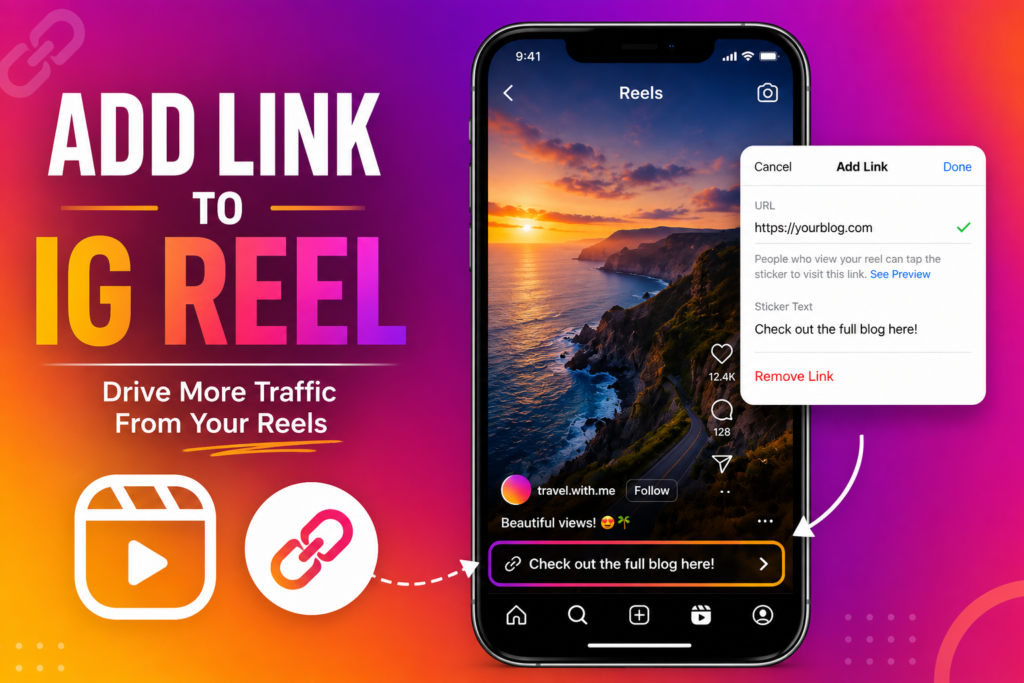

A few months ago, I posted an Instagram Reel that got far more views than I expected. People loved the content, and my inbox started filling up with the same question: “Where can I find the product you mentioned?” That’s when I realized I had missed a huge opportunity. I had created a popular Reel, but I hadn’t made it easy for viewers to visit my website or learn more.
If you’ve ever been in a similar situation, you’re not alone. Learning how to add link to IG Reel can help you drive traffic, promote products, grow your audience, and even increase sales. In this guide, I’ll walk you through everything I’ve learned about linking content with Instagram Reels in a simple and practical way.
Why Adding Links to Instagram Reels Matters
Instagram Reels are one of the best ways to reach new audiences. The platform actively promotes short-form video content, giving creators and businesses a chance to gain visibility.
However, views alone don’t always lead to results.
Adding links strategically can help you:
- Drive traffic to your website
- Promote blog posts or products
- Generate leads
- Increase affiliate earnings
- Grow your email list
- Encourage followers to take action
When I started using links correctly alongside my Reels, I noticed a significant increase in website visits and engagement.
Can You Directly Add a Link to an IG Reel?
This is one of the most common questions people ask.
The short answer is: Instagram currently does not allow clickable links directly inside Reel captions.
However, there are several effective workarounds that achieve the same goal.
These methods include:
- Using the link in your Instagram bio
- Adding a link sticker in Stories
- Using Link-in-Bio tools
- Mentioning the link in the Reel itself
- Using Instagram Shopping features
Let’s explore each option.
Add Link to IG Reel Through Your Bio
This is the easiest and most popular method.
Step-by-Step Process
- Open Instagram.
- Go to your profile.
- Tap Edit Profile.
- Add your desired URL in the Website field.
- Save your changes.
Now when creating your Reel, simply mention:
“Link in bio for more details.”
I use this method frequently because it works for almost every type of content.
Personal Tip #1
Instead of constantly changing your bio link, use a landing page that contains multiple links. This keeps things organized and prevents confusion for your followers.
Use Instagram Story Link Stickers
If your Reel is performing well, share it to your Story and add a clickable link sticker.
How to Do It
- Post your Reel.
- Tap the share icon.
- Add Reel to Story.
- Select the Sticker option.
- Choose the Link Sticker.
- Paste your URL.
- Publish the Story.
This creates a direct clickable path for viewers.
I have personally found Story link stickers to be one of the highest-converting methods because users only need one tap to visit the destination.
Method 3: Use a Link-in-Bio Tool
Many creators use a single bio link that opens multiple destinations.
Popular examples include:
- Linktree
- Beacons
- Taplink
- Later Linkin.bio
With these tools, you can:
- Showcase products
- Share blog posts
- Promote affiliate offers
- Highlight videos
- Collect email subscribers
This approach works especially well for businesses and content creators who promote multiple resources.
How to Mention a Link in Your Reel
Even though links aren’t clickable in captions, you can still guide users effectively.
Include a Clear Call-to-Action
Examples:
- “Visit the link in my bio.”
- “Check the first link on my profile.”
- “Get the free guide through my bio link.”
- “Tap my profile for the full tutorial.”
A surprising number of creators forget this step.
If viewers don’t know where to go next, many simply scroll away.
Best Practices When You Add Link to IG Reel
Over time, I’ve noticed some strategies work better than others.
Mention the Link Early
Don’t wait until the end of the Reel.
Mention it within the first few seconds if possible.
Use On-Screen Text
Add text such as:
“Link in Bio”
or
“Get Full Details via Profile Link”
This reinforces your message visually.
Keep Your Landing Page Relevant
If your Reel discusses a specific topic, send visitors directly to related content.
For example:
- Fitness Reel → Workout guide
- Recipe Reel → Full recipe page
- Product Reel → Product page
Track Your Results
Use analytics tools to measure clicks and conversions.
This helps identify which Reels generate the most traffic.
Common Mistakes to Avoid
When people try to add link to IG Reel, they often make these mistakes.
Using Long, Complicated URLs
Nobody wants to type a lengthy website address manually.
Instead:
- Use short URLs
- Use bio links
- Use QR codes when appropriate
No Clear CTA
A Reel without a call-to-action often loses potential visitors.
Always tell viewers exactly what to do next.
Linking to an Irrelevant Page
This can hurt trust and reduce conversions.
Make sure the destination matches the Reel topic.
How Businesses Use IG Reel Links Successfully
Businesses use Instagram Reels for far more than entertainment.
Common goals include:
- Product launches
- Lead generation
- Event registrations
- Course sales
- Service bookings
For example, a fitness coach might create a workout Reel and direct viewers to a free training plan through their bio link.
A fashion brand may showcase a new collection and guide viewers to a shopping page.
The possibilities are endless.
Related Instagram Marketing Strategies
If you’re trying to grow your audience, linking should be only one part of your strategy.
Other techniques include:
Consistent Posting
Regular Reels increase visibility and audience trust.
Strong Hooks
The first three seconds matter most.
Capture attention immediately.
Engaging Captions
Even though captions can’t contain clickable links, they can encourage interaction.
Hashtag Strategy
Relevant hashtags help improve discoverability.
Examples include:
- Instagram marketing
- social media growth
- Instagram Reels tips
- content creator tools
- Instagram engagement
These related keywords naturally support your overall reach.
Personal Tip #2
One thing that dramatically improved my results was creating a dedicated landing page for Reel traffic.
Instead of sending everyone to my homepage, I built a simple page specifically related to the Reel topic.
The difference was noticeable.
Visitors found exactly what they expected, and conversion rates increased significantly.
Frequently Asked Questions
Can I put a clickable link directly in an Instagram Reel?
No. Instagram currently does not support clickable links within Reel captions.
What’s the best alternative?
Most creators use a bio link combined with a clear call-to-action.
Can business accounts add links to Reels?
Business accounts have access to additional features like Instagram Shopping, but clickable Reel caption links are still unavailable.
Do link stickers work with Reels?
Not directly inside Reels, but you can share your Reel to Stories and use a link sticker there.
Conclusion: The Smart Way to Add Link to IG Reel
Learning how to add link to IG Reel is less about finding a hidden Instagram feature and more about using the right strategy.
While Instagram doesn’t allow clickable Reel links, you can still drive substantial traffic by combining bio links, Story link stickers, clear calls-to-action, and optimized landing pages.
From my experience, the most effective approach is simple: place the link in your bio, mention it clearly in your Reel, and guide viewers to a page that matches their expectations.
Small changes like these can make a huge difference in engagement, traffic, and conversions.
If you’re already creating Instagram Reels, start testing these methods today. Track your results, refine your approach, and see what works best for your audience. And if you have your own Reel-linking strategy, share it in the comments—I’d love to hear what’s working for you.